
Health Partner
Table of Contents:
Instructions
- Click on the 'More' section, you can see 'Health Partner', it redirects you to the Health Partner Screen.
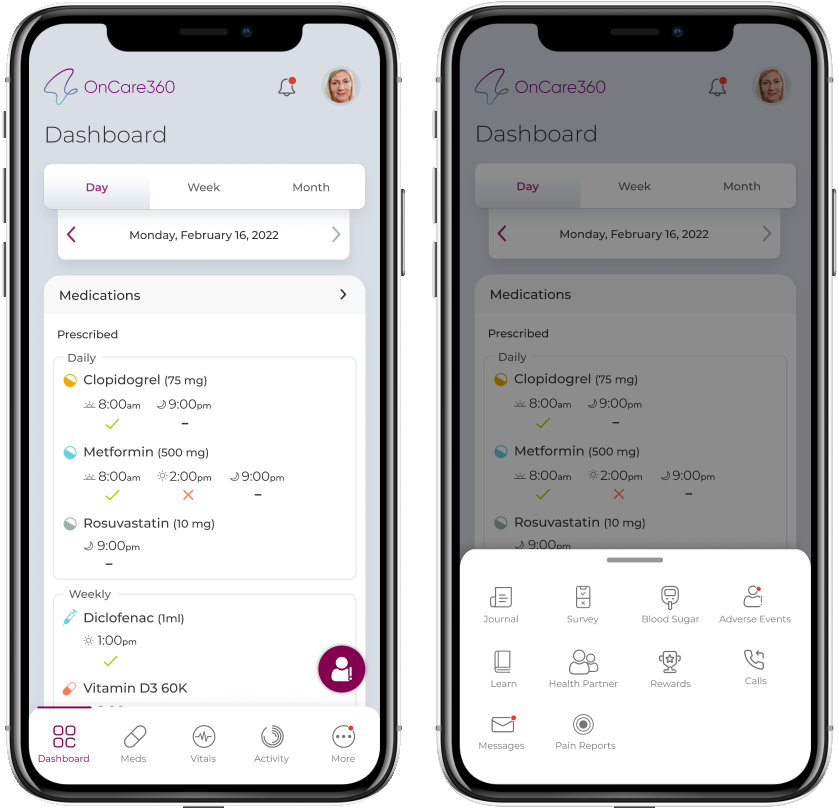
Add Health Partner
- Clicking on ADD HEALTH PARTNER shows a form with below details
- Name- First Name, Last Name
- Email id
- Phone number
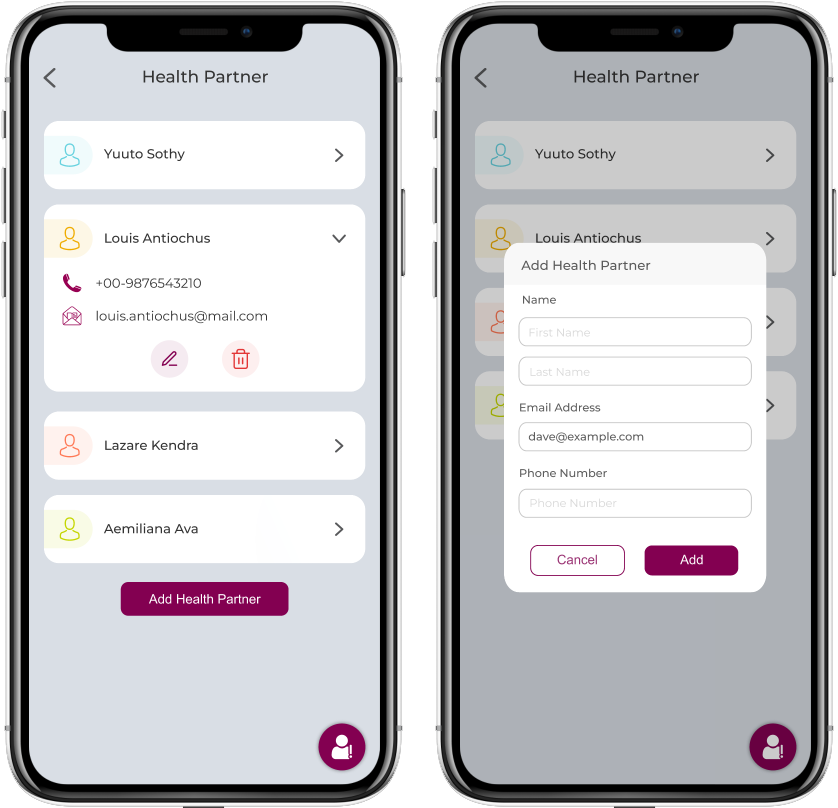
- Patient can add details and click on 'Add' to save the information
- Patient can view list of added Friends/ Health Partners in Med Friend Health Partners screen
Manage Health Partner
- Patients can edit and delete added Med friends Health Partners.

- Tap on delete displays confirmation popup with buttons- YES and CANCEL and on confirmation the friend gets deleted.
Note:
Patient can add maximum of five friends health partners, Add button gets disabled after five Med friends health partners are added.