
Pain Reports
Table of Contents:
Instructions
Pain Reports
- Click on More section, select Pain Reports
- Pain Report displays the list of pain reported for each date.
- If there are no pain reports, display empty state and a button to report the pain for the day.
- On the top, you can view the date, clicking on which you will view the calendar where the patient can select the Date, to view the Pain reports added that day.
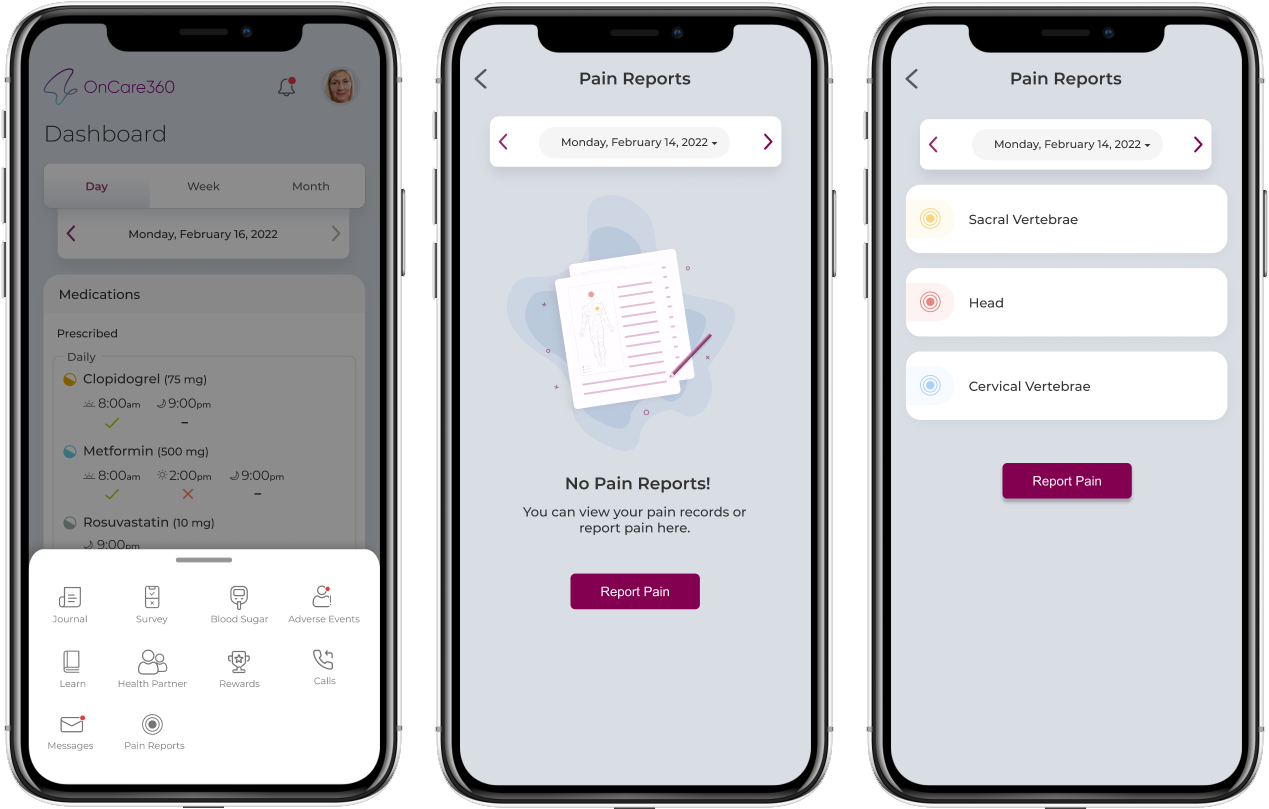
Report Pain
- Report Pain will navigate user to screen which will have 2 tabs (Front and Back) for determining the location of the pain.

- Front tab will show pain points, by selecting which user will be allowed to select anyone option from mild, moderate, or Extreme and click on Report.
- Back tab will show pain points, by selecting which user will be allowed to select anyone option from mild, moderate, or Extreme and click on Report.
Records List
- Clicking on Report will report the pain and user will be navigated to pain reports page, where he can also report pain again clicking on Report pain button.
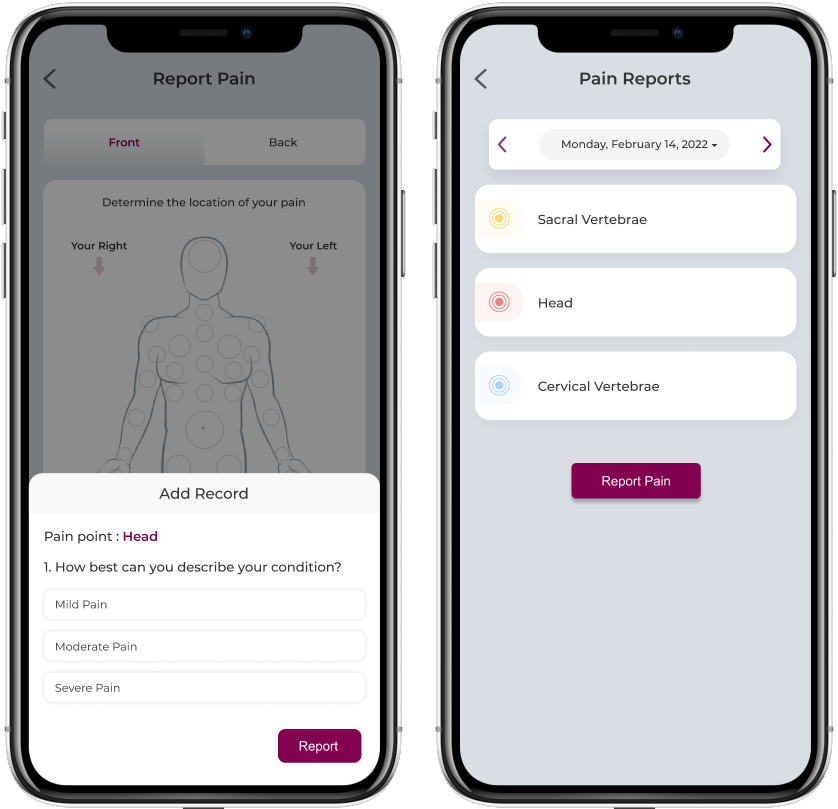
- Pain Report displays the list of pain reported for each date with color of severity as follows:
- Mild Pain - Light Blue
- Moderate Pain - Amber
- Severe Pain - Red
- User will be able to report pain& view for previous dates after patient created date.
Note:
If user has reported the pain point(location) already, he will be able to report it again for the day, based on the severity of the pain.