Patient Medications
Table of Contents:
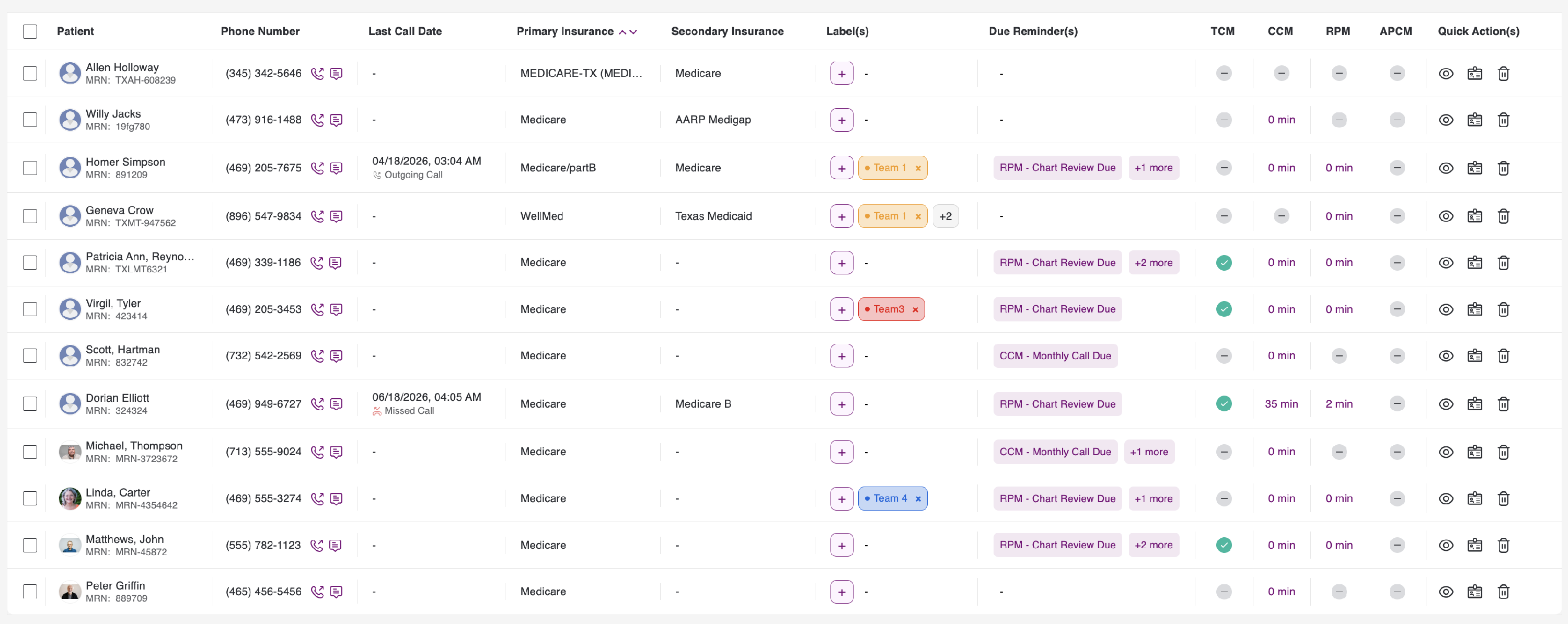
To view and track a patient’s medications, please click the briefcase icon in the Patient listing under Quick Actions.
Patient Dashboard
You will review the Patient’s dashboard, which displays the following:
- Basic Patient Details
- Diagnosis - Add/ Edit
- Medications - Add/ Edit
- Allergies - Add/ Edit
- Clinical Time
- View Complete Patient Profile button
- Call and Message Patient
Here, you can see an accordion at the top. It can be expanded or closed as needed. By default, the patient details accordion remains closed.

Once you click the expand button, you will be able to view the expanded Patient details as follows. On the left side, you can also see a call icon next to the Mobile number, which you can use to call the patient on his cell.

The tabs below the Patient details are as follows:
- Medications
- Events
- Vital signs parameters
- Activity
- Journal
- Survey
- Calls & SMS
- RPM
- TCM
- CCM
- Clinical Time
- Notes
- Bills
Medications Tab
Daily Adherence
a. To view and track Active, Inactive, and Deleted medications on a daily, weekly, and monthly basis. In the Daily Adherence tab, you can view the period, frequency, and scheduled time for each medication.
b. In the Daily Adherence tab, you can view the period, frequency, and scheduled time for each medication.
c. Active Medications are the medicines the Patient is currently taking and that are within the course duration. Inactive Medications are medicines that were previously taken by the Patient and may be continued or deleted. Deleted Medications are medicines that are no longer needed by the Patient based on the Patient’s condition and recovery status.
d. The progress bar colour coding is based on the adherence percentage shown below.
- 90 and above - Green
- 75 to 90 - Amber
- Less than 75 - Red
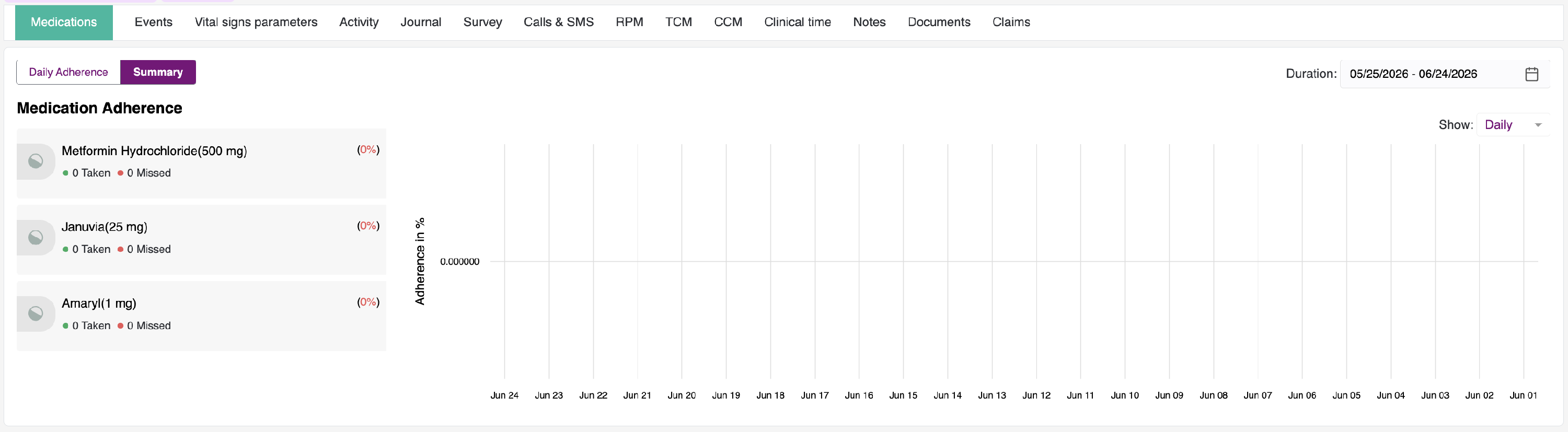
Summary
a. To view the medication adherence and dosage on a daily, weekly, and monthly basis.
b. We can record the total number of medicines taken and missed, along with the adherence percentage.
c. The colour coding of the bars is based on the adherence percentage outlined below.
- 90 and above - Green
- 75 to 90 - Amber
- Less than 75 - Red